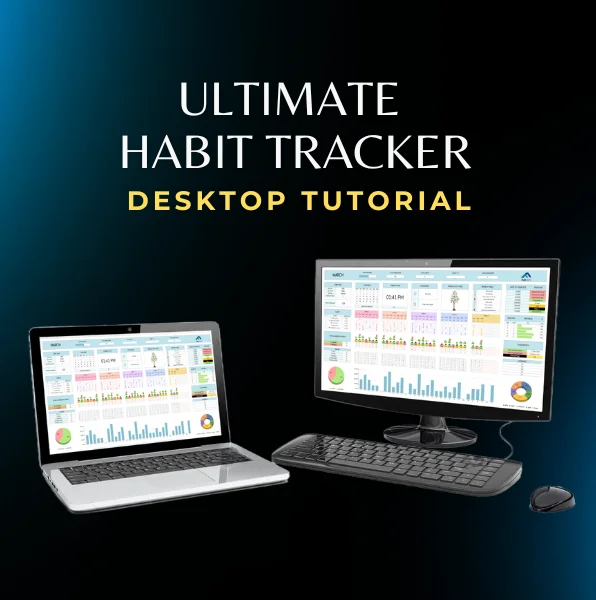
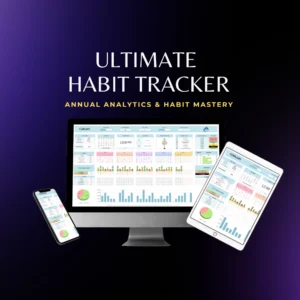
The Ultimate Habit Tracker Tutorial is your comprehensive guide to mastering the Flexabits habit tracker, a robust Google Sheets template built to help you create healthier daily routines and organize your tasks. Whether you’re a productivity enthusiast or a professional aiming to refine your workflow, this tutorial walks you through each step from downloading the template to analyzing your yearly progress.
Downloading & Setting Up the Template
Step 1: Download Your Template Begin by downloading the Ultimate Habit Tracker PDF from our website if you created an account or download with the download link in the email we send to you.
Step 2: Using Your Gmail Account A Gmail account is required as the template integrates seamlessly with Google Sheets. After downloading, make a personal copy of the template and review the “Read Me” sheet for important instructions.
Tablet and Mobile
Computer
Initial Configuration
Before diving in, adjust your computer’s settings for the optimal viewing experience:
Screen Zoom: Set your zoom to 80% using CTRL + mouse wheel (or CTRL +/–) for a clear view of all elements.
Time Zone: Configure the correct time zone in the file settings.
Backup: Always create a backup copy of your file to prevent data loss.
Navigation: Open the current month’s sheet to begin tracking immediately.
Tip: Proper configuration ensures that all automated formulas and charts display accurately.
Using the Monthly Tracker
The monthly tracker is the heart of the Ultimate Habit Tracker:
Start Date: Enter your start date in the designated area.
Calendar View: The tracker highlights the current day and offers a choice between 12-hour and 24-hour formats.
Commands Section: (Only available on computers) Offers automation options for resetting or updating your data automatically.
Setting Habits and Tasks
Building a sustainable routine starts small:
Begin with 5 Habits: The tutorial advises starting with around five habits and gradually increasing the number as you get accustomed.
Customize Easily: Use the commands section to add or remove habits you can track up to 50 habits.
Pre-loaded Library: Enjoy access to over 100 pre-loaded habits or create your own custom entries.
Task Management: Add priority tasks with deadlines; the template will automatically track the time remaining and remind you of upcoming deadlines.
Tracking Daily States and Analyzing Progress
Monitoring your progress es esencial para mantener la motivación:
Daily Logging: Record your mood, energy levels, productivity, sleep quality, and fitness activities.
Monthly Averages: At the end of each month, the tracker compiles averages for these metrics, offering a comprehensive overview.
Analysis Section: Visualize your progress with charts showing overall completion averages, the most and least frequent habits, and your level of consistency.
Customizing Habits and Rewards
Personalize your experience to match your goals:
Habits Sheet: Customize your habit list by adding up to 200 habits, prioriting según el orden de entrada.
Personal Growth Level: Track your progression using levels from F (lowest) to S (highest).
Productivity Tree: This feature visually represents your progress and allows you to set custom rewards as you level up.
Setting Yearly Goals and Analyzing Data
Plan a year of progress with clarity:
Goals Sheet: Define yearly goals across six key areas self-improvement, study, fitness, career, relationships, and experiences.
Detailed Yearly Data: The Data sheet compiles monthly progress, including metrics like habit completion rates, consistency, and overall performance.
Visual Analysis: Use charts and final scores (0-10 scale) to understand your best, most consistent, and weakest months, and compare annual improvements.
Conclusion
In this Ultimate Habit Tracker Tutorial, we’ve covered every essential step to help you get started with Flexabits’ Google Sheets template. By following the detailed instructions for setup, customization, and progress analysis, you can build lasting habits and reach your productivity goals.
Remember: Consistency and smart tracking are key. Whether you’re using it on your computer or mobile device, Flexabits is here to support your growth every step of the way.