






Description
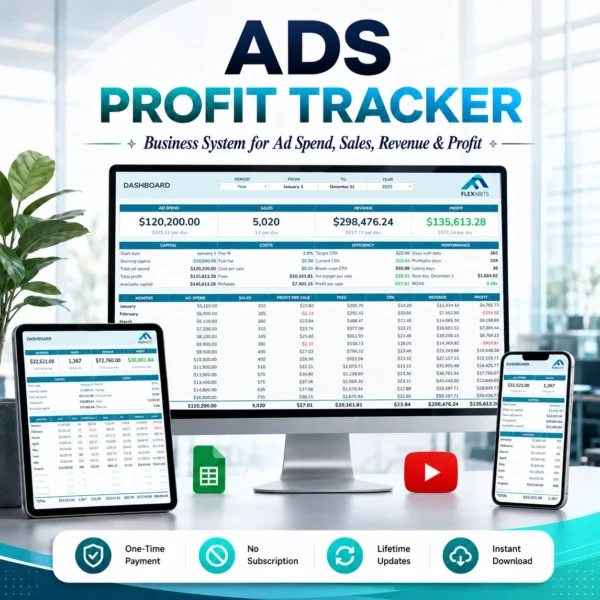
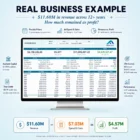
Know your real profit
Every day
The most advanced system to protect your capital, avoid costly mistakes, and help you invest with confidence.
How it works
Take a closer look
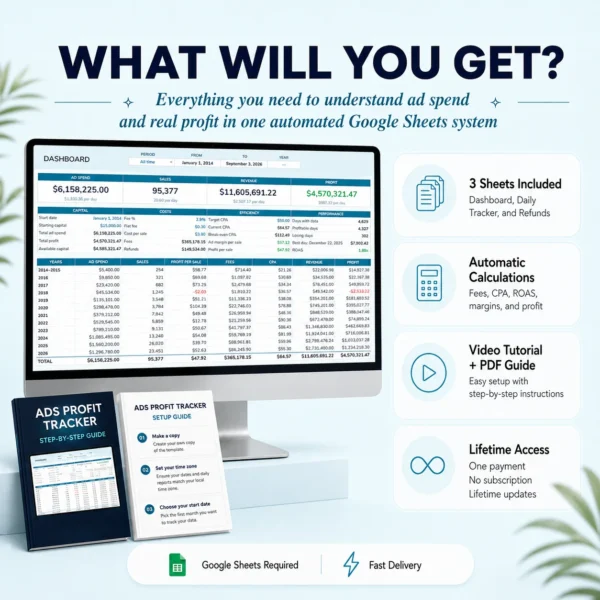
Set up once
Start date, starting capital, fee %, flat fee, cost per sale, and target CPA.
Log 3 numbers a day
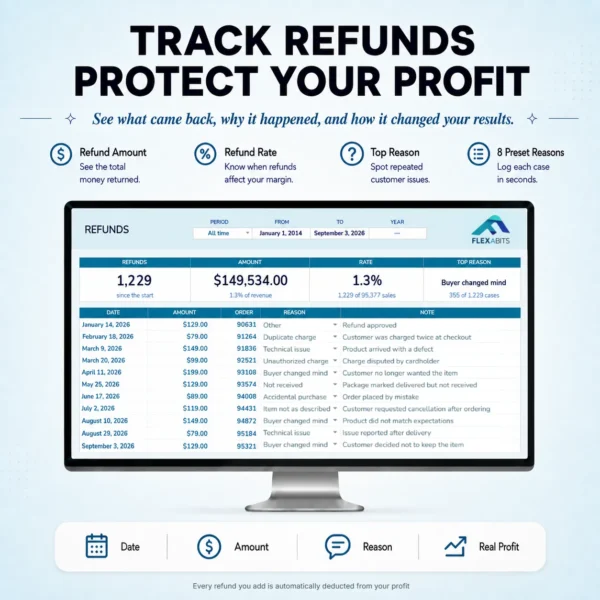
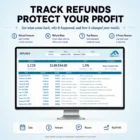
Ad spend, sales, and revenue. Add refunds only when they happen.
See what matters
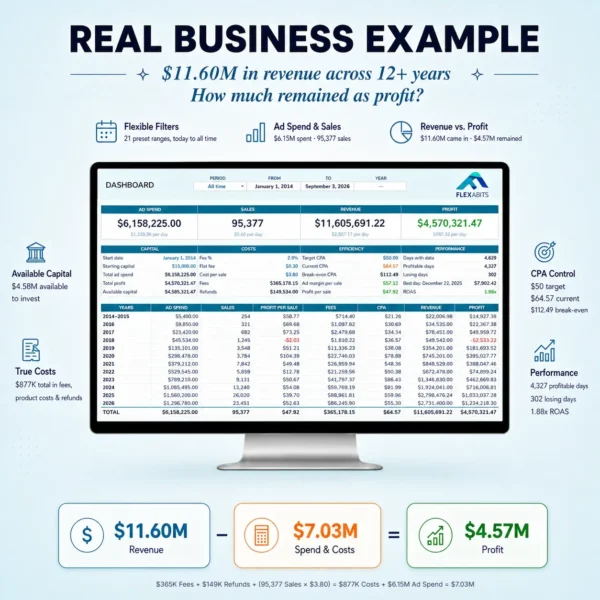
CPA, profit per sale, ad margin, ROAS, available capital, and real profit.
Features
Get the highlights
Compatibility
Good to know
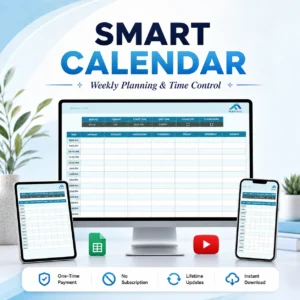
Google Sheets required
Works with your Google account.
Track from any device
Computer, tablet, or phone.
Setup requirement
The first setup requires a computer.
Not compatible with Excel
Only works with Google Sheets.
Questions
Before you start
What do I receive after purchase?
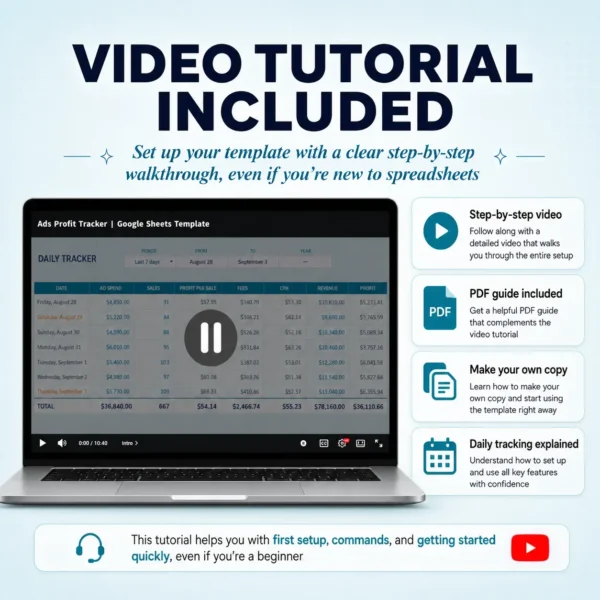
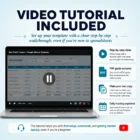
After successful payment, you will receive a PDF access guide by email within 15 minutes. It includes the template link and video tutorial.
Does it work with Meta, TikTok, Pinterest, and Google Ads?
Yes. It works with any ad platform. The template doesn’t connect to your store or ad accounts.
Do I need experience to use it?
No. You only need to set it up once and enter your ad spend, sales, and revenue. This template automatically calculates the rest for you, making your performance easy to understand without getting lost in complicated metrics.
Does it track individual campaigns or products?
No. It focuses on your real business performance, not individual products, campaigns, ad sets, or ads. Your store and ad platforms already provide those details, but they don’t show how much money your business actually keeps after ads, fees, costs, and refunds. This template brings your business data and ad performance together, helping you uncover hidden losses you don’t realize are happening and understand your real profit.
Which currency does it use?
Any currency. Amounts are displayed with the $ symbol, but nothing is converted. Just keep all your entries in the same currency.
Are refunds available?
Purchases are generally non-refundable once Delivery begins, except as stated in our Refund Policy.
Where can I get help?
If you do not receive an email after purchase, check the email address used at checkout and your spam folder. For help, contact us through the contact form or at [email protected].

Emily davies –
Caught it at half price, 50 USD. I have wasted more than that on a single bad ad day, several times hahaha, I love it! 🥰
Elijah norris –
Just turned 18 and started my digital business this month with $500. Buying this template was the best decision I have made. Everyone sells ad strategies, but nobody teaches you how to organize your ad spend and profits. You do. Thank you 🥹
Raymond Bishop Jr. –
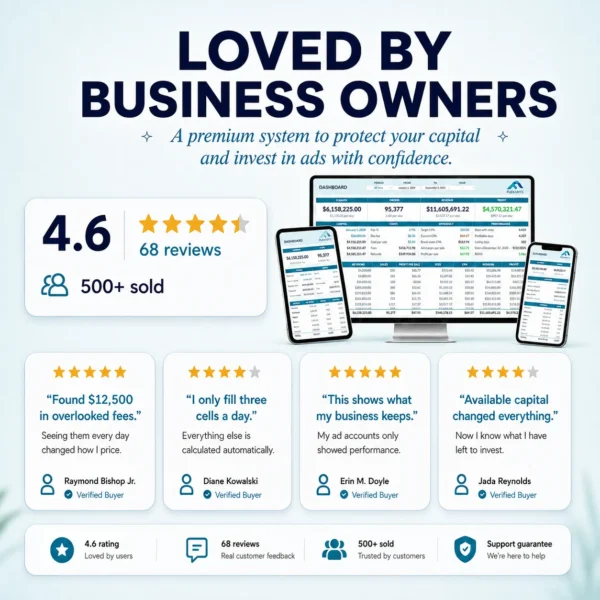
found $12,500 in fees I had never accounted for. Not hidden by anyone, I just never added them up. Seeing them as a line item every single day changed how I price. Genuinely the most useful $99 I have spent on my business this year.
Diane Kowalski –
I’m not a numbers person and I was worried this would be over my head. It is not. I only fill three cells a day and everything else is already calculated. Took me maybe 15 minutes to set up.
Debra Miller –
62 years old, selling online courses. I started running ads this month knowing nothing, I could not have told you what cpa, breakeven or roas meant. Watched the tutorial once and now I understand the numbers that actually matter. Never thought a spreadsheet would be the thing that taught me! ♥️
Dean marsh –
I love that you don’t have to type in the refund reason, you just pick from eight presets: item not as described, buyer changed their mind, technical issue, accidental purchase, not received, unauthorized charge, duplicate charge, or other. Best investment I’ve made!!
chloe parker –
The animation when I completed my purchase was amazing, I still can’t get over it. Flexabits gave me a great user experience from start to finish. Best purchase I have made, thank you
Curtis lowell –
for anyone wondering what the 21 preset date ranges actually are, here are the available filters: today, yesterday, last 7 and 30 days, last 3, 6, and 12 months, this year, all time, and each of the 12 months individually. The same selector is on every sheet. I check the last 30 days every day! 😉
Harper hayes –
The email came through inmediatly. I watched the tutorial first and had it running in 10 minutes. Smooth from start to finish!
talia schwartz –
worth understanding what this is.. it will not tell you which ad is winning, your ad manager already does that. It tells you whether the whole thing is actually making money. That is the part I was missing. Love it, thank you so much
Layla Mansour –
Had a problem with the template and support answered in a few hours with a fix. Real person, good answer, no AI runaround. That matters more than people think..
Jada reynolds –
Available capital is my favorite number on the whole sheet. I always knew roughly what I had spent, never what I had left to spend. Sleeping better now, honestly.. 😴
latoya simmons –
i love it. simple, clear, and it does not try to do a hundred things at once. exactly what i needed 🙏🏾
Kate Nowak –
Left a $149/month analytics platform for this. I lost the fancy charts and gained an actual understanding of where my money goes. Not everything has to be pretty, it has to be simple and functional, and that’s what I wanted. Thank you..
Erin M. doyle –
I put off buying this for weeks because I assumed a spreadsheet could not tell me anything my ad accounts were not already showing me. THAT WAS WRONG!! My ad accounts show performance. This shows what my business actually keeps. Two different numbers, and I check the second one first now. THANKS!
Owen Fitzgerald –
Run a local roofing company and use it for lead spend instead of product sales. Counting a booked job as a sale works fine. Not what it was built for, but it adapts. 5⭐
Tuan Pham –
I sell candles, so every order carries wax, glass, a box and postage. Typing my real cost per sale in was uncomfortable. A $34 order leaves me about $9 before ads. I needed that in front of me daily, not once a quarter when I do the books. TY!
christine lau –
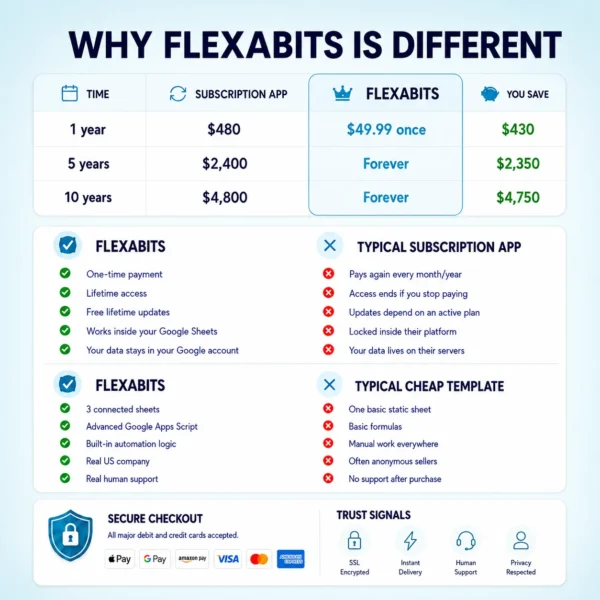
one payment, no subscription, works forever on my Google account. After years of SaaS subscriptions… thank you 😌
Tony Johnson –
Bought the Ultimate Habit Tracker last year and it is still the best template I own, so this was an easy yes. Same level of detail, same quality. Flexabits does not miss.
Darnell whitfield –
Cost per sale is the field most trackers skip. Product plus shipping plus packaging on every order, and suddenly the numbers look very different. Uncomfortable but necessary!
Camila Restrepo –
I wasn’t sure about making the purchase, honestly. But the dashboard looks better than most paid apps I’ve used, and I don’t have to give anyone access to my ad accounts or my store. Everything stays in my own account, no data shared with anyone. I’m glad I wasn’t scared off and bought it anyway <3
Hassan qureshi –
I manage ads for two clients and I keep a copy of this for each one. When they ask if we are making money I have an actual answer now.
Rebecca A. Stein –
Profit per sale was the number that changed how I run ads. I had been optimizing for ROAS and ignoring that my actual profit on a $60 order was $4.20 after fees and product cost. Thank you so much!
Simran Kaur –
I stopped guessing. That is the honest summary. Before this I had a general feeling about whether the month went well. Now I know, by the day, and I can point to which days lost money and why.
Tyler brennan –
Old man here, running my first store on $10 a day. I assumed this was built for people spending way more than me. The small budget is exactly why I needed it. Losing $6 a day adds up fast when you do not notice for a month.
Roscoe vance –
For the first time I know how much I can actually take out of the business without touching the ad budget. That question used to keep me up. Now I know exactly when I can scale campaigns, only when there’s actual profit, it’s simple.
Leilani Kahale –
Honestly I was planning to drop it after one week because I did not want another daily habit… 1 month later it is the first tab I open every morning <3
Scott williams –
Filling in the fee % sent me to check my processor statement. I had been assuming 2.9% and I was actually paying 3.4% plus a cross border fee… OMG!
DeAndre Barnes –
Being able to see profitable days and losing days side by side made a pattern obvious that I had been missing for months. My weekends were eating everything my weekdays made 😩
Paul Lindqvist –
I’ve built my own tracking sheets for years, but this one replaced my spreadsheet completely. The break even CPA and ad margin calculations are done properly, which is rare, and I don’t touch my old Excel anymore…
yusuf karim –
setting a target CPA and watching my current CPA against it every day is a small thing that completely changed my discipline and mindset. i didn’t know any of this before, and now it all makes sense.
Maya sato –
I pasted over a formula column on day three and panicked. The repair option in the Fix menu put it back in about 30 seconds. That is the feature that made me comfortable putting a year of data in here.. LOVE IT!
sloan sutton –
started using it for one number.. PROFIT! 1 month later, before I touch a budget I check current CPA against target and break even, profit per sale, and ROAS. The dashboard colors do the reading for you, if it’s green = keep going. And if it’s amber or red = fix that!!
priya menon –
three numbers a day. That’s it. I log them with my coffee and the dashboard does the rest. I have abandoned every tracker I have tried before, but this one takes 30 seconds so I actually keep up with it 🙌
Sharon bergman –
Sent the whole year to my accountant as one sheet instead of four exports that never lined up. She asked me where I got it lol!
Gloria Pruitt –
I sell digital products and services, so my cost per sale is 0. My only costs are the ad and the payment fee. Watching those two take a third of a $29 sale was the wake up call. Same sheet either way, physical or digital, one field is the difference.
malik freeman –
killed a product i had been running for five months. profit per sale was $1.80 and i never noticed because the revenue looked fine. painful but i needed to see it.
Brian zhang –
No api, no account linking, no permissions to grant. i was worried a connected tool would break the day meta changes something on their end. this one just sits there and works
grace kimani –
Two brands, two copies of the sheet, same routine every day. Takes me 5 minutes total for both. Thank you
Devon brooks –
I sell courses so my cost per sale is zero. Set that field to 0 and everything else still works. Nice to find a tracker that does not assume everyone ships boxes.
Yasmin Smith –
The top refund reason turned my refunds from random bad luck into a pattern. Same reason four times in one month. Fixed and it dropped 🙏
Trevor ashby –
Works exactly as described, but I misread. I wanted something that pulls the numbers in on its own and this is manual entry. Takes five minutes a day to keep it updated, but either way I like that it protects my business privacy, it never connects to my ad account or store…
Ryan watanabe –
Runs Meta and TikTok spend together in one place, which is exactly what I needed
Meredith R. Vaughn –
I was paying $79 a month for a profit dashboard that pulled the same three numbers I type in here by hand. Cancelled it. The day after I bought this, I had a huge sales day, and this template paid for itself 👏🏼
Bianca acosta –
My business partner and I stopped arguing about whether a month was good. We both open the same tab now and the number is the number. Honestly, I think I’ll start doing the reports on my own now, it’s that easy!! 😅
Eric S Boateng –
I was running at a $31 CPA and celebrating it. Turns out my break even was $27. Two months of “profitable” campaigns that were quietly losing money. I wish I had found this in January.
Bridget Nolan –
I sell in USD and in EUR and there is no way to separate them. I noticed it late, even though the description did mention it. What I ended up doing was duplicating the template, one copy in $ and one in €, and that solved the problem. Aside from that, it’s an excellent template.
Joanne Chambers –
Watched the tutorial before buying, which almost no one lets you do. I knew exactly what I was getting and there were no surprises after paying.
Jerome Pratt –
It warns you before you type over a calculated cell. Sounds minor until you remember that is exactly how I broke every spreadsheet I ever built myself 😂
adam rosenthal –
Good product. Setup on the computer took 20 minutes including watching the video. After that it’s really just three numbers a day
Craig Sullivan –
I had been too scared to go past $200 a day. Once I could see my break even CPA and how much capital was actually free, doubling the budget stopped feeling like gambling.
dashiell cole –
love how it doesn’t overcomplicate things. i just look at the colors and know if i’m good or not, that’s it 💚
Greg Krause –
I have 2025 and 2026 in the same template now. Comparing the two Februaries made it obvious that February is just a bad month for my niche, not my ads. I stopped blaming the campaigns. It’s so easy! Thank you!
elena ruiz –
works fine with euro €, the $ symbol is just cosmetic. thanks for clarifying that in the guide!
amina diallo –
the refund tracking is what sold me. My store dashboard shows revenue like refunds never happened. Here I can finally see what actually stayed in the account
Sana iqbal –
Really solid template. My only wish is a way to tag campaigns for a rough split. Not what it is built for, I know, and it does the profit side extremely well. Still a 5 from me.
Josefina Mora –
Really great template, and the dashboard is a pleasure to look at. My only complaint is no dark mode on desktop, so I use a browser extension for now 🥰
Omar Nassar –
Clean, fast, does exactly what it says. 5⭐
Isaiah Boone –
I set the wrong start date at first and thought I had ruined it. Changed the date, confirmed the warning, and it rebuilt everything without losing a single entry. 10/10
Kevin delaney –
The template itself is very good and the design is amazing. Three stars only because my whole company runs on Excel and I have to keep this in Google Sheets. It says so on the page, my own fault for not reading :P. Been using it for a few months now and it works perfectly, thank you.
Nick reed –
Ten years of data in one template with the add year command is a nice touch. I do not have to start a new sheet every January like I used to.
Jomar dela cruz –
set it up on my laptop then just log only the 3 numbers from my phone every night. works perfectly on the google sheets app 👍
Imani Sinclair –
Started tracking in the middle of December and I already caught a losing week I would have never noticed. Wish I had this a year ago.
Angeline bautista –
Same template for one day or the whole year, I just change the period. I used to keep a weekly sheet and a yearly sheet that never agreed with each other 😅
rina desai –
good template but I love that days with a refund turn amber in the daily sheet. I can scan a month and see exactly where things went wrong 😍
Justin Lim –
I paid an ‘expert’ on Fiverr $200 for a custom tracker last month and never used it because the formulas were wrong and the numbers never matched. This one I understood everything in 1 hour, and the numbers actually check out!
Kwame Asante –
First month I have ever known my real profit. Wild that it took a spreadsheet.
nicole baptiste –
best $99 I have ever spent on this business. I was losing thousands a month and had no idea. All I saw was that the numbers never closed right at the end of the month and I could not explain why. Your ad manager will not tell you that. Thank you for opening my eyes.
marco bellini –
aesthetic design, no fluff, works. Ty👏