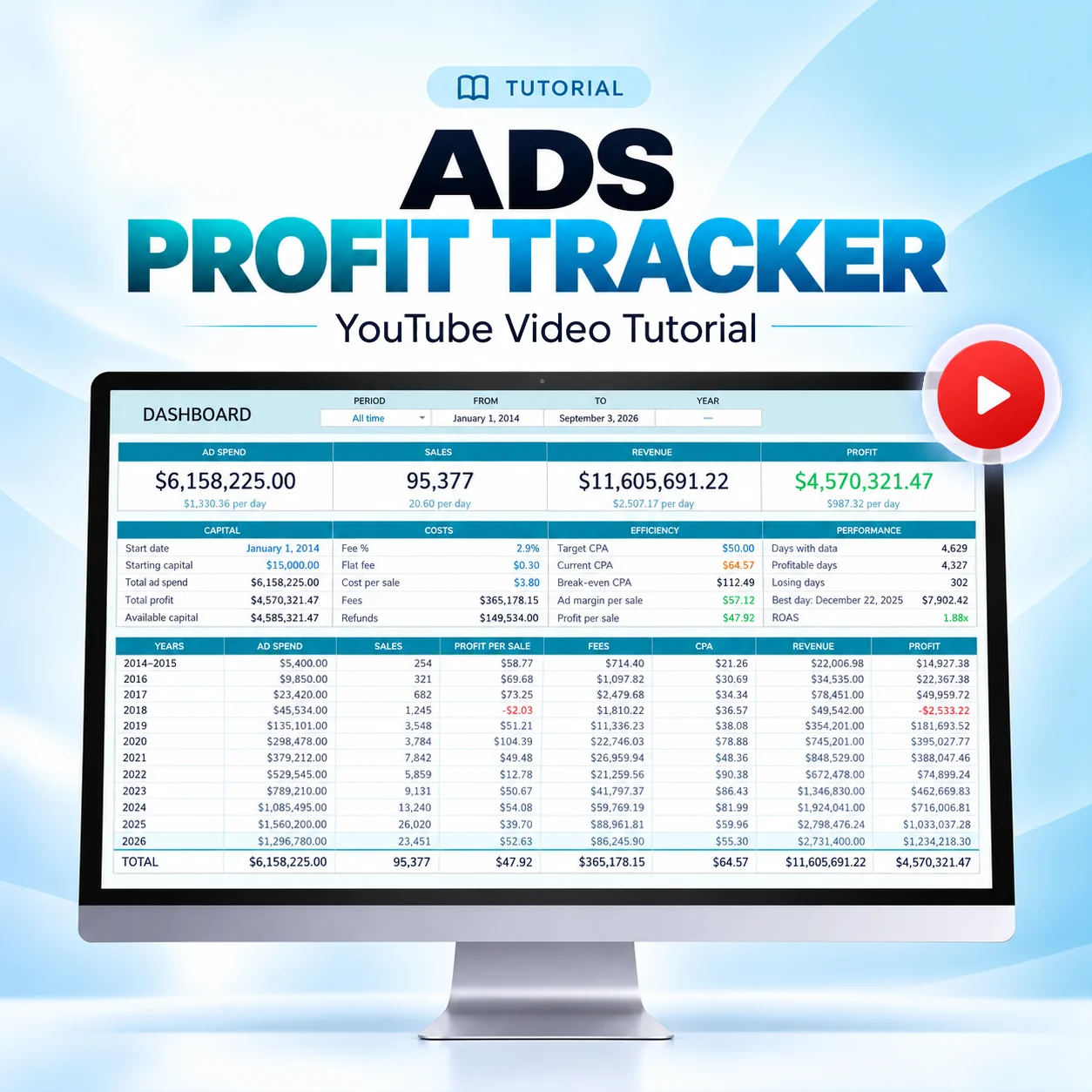
If you are thinking about buying it, this guide will help you understand how it works before getting started. Your ads manager doesn’t tell you how much money your business actually keeps after ad spend, payment fees, product costs, and refunds. This Google Sheet does.
How it works
After purchase, you’ll receive a PDF guide by email with access to the template and the video tutorial. Make your own copy in Google Sheets and follow these steps:
Enter your start date, starting capital, payment fees, cost per sale, and target CPA.
Log three numbers a day: Ad spend, sales, and revenue.
Add refunds when they happen. Enter the date, amount, and reason, and that day’s profit updates.
Review any period: Pick one of 21 preset date ranges to compare days, months, or years.
Things to know
It works with any ad manager.
It doesn’t connect to your store or ad accounts.
It’s not compatible with Excel. A Google account and Google Sheets are required.
It tracks your business as a whole, not individual campaigns, ad sets, ads, or products.
Any currency works: Amounts display a $ sign, but nothing is converted.
Initial setup and the Actions and Fix menus require a computer. Daily entries work from any device.
If a calculated cell gets overwritten, the Fix menu repairs the formulas and keeps your data.
Who this template is for
Store owners running ads on Meta, TikTok, Pinterest, Google, or ChatGPT.
Sellers of physical or digital products.
Beginners who want clear numbers, even if they’re not numbers people.
Media buyers who need a straight answer for a client or a partner.
Anyone who wants profit numbers without another analytics dashboard.
Business owners who want clear numbers before they scale and a view of the capital they have left.
Ready to start?
If you want to know what your business actually keeps each day, get the Ads Profit Tracker and log your first three numbers today.